


{{goods.model}}
8 Common CNC Router Mistakes Beginners Should Avoid

Many woodworking shops, advertising companies, furniture manufacturers, and custom sign makers want to use a CNC router to automate their work and improve production efficiency. For CNC router beginners, problems often arise during installation, software setup, and actual machining. Even small mistakes can cause tool damage, material waste, rough cutting edges, inaccurate carvings, or even machine failure.
In this guide, we will cover the 8 most common CNC router mistakes beginners should avoid, along with practical CNC woodworking tips to help you achieve cleaner cuts, longer tool life, and more stable machine performance.
I. Choosing a CNC Router That Doesn’t Meet Your Needs
For many beginners, purchasing their first CNC router can be overwhelming because there are so many machine types, table sizes, spindle configurations, and price ranges. It’s easy to pick a machine that doesn’t actually meet your machining requirements.
Many users focus only on price and appearance, ignoring important factors like material type, production volume, machining accuracy, and future business growth. Using an unsuitable CNC router for beginners can result in low efficiency and unstable cutting quality. Choosing the right machine can save time and reduce errors.
1. Common Problems
When a CNC router fails to meet actual production requirements, various machining and operational issues typically arise quickly.
One common problem is that the machine’s work area is too small. Many beginners purchase small machines because they are inexpensive, only to discover later that standard-sized plywood or furniture panels cannot fit entirely on the worktable. This reduces efficiency and increases manual labor.
Another major issue is insufficient spindle power. A low-power spindle may handle simple engraving tasks, but when cutting hardwood, thick MDF, or aluminum, users often encounter problems such as rough edges, tool breakage, or inconsistent cutting performance.
Machine stability is another factor that beginners often overlook. Some low-cost CNC router machines use lightweight frames and lower-quality components. During prolonged continuous production, vibration can compromise cutting accuracy and surface finish. This is particularly evident in hardwood, stone, and metal applications, where high levels of edge smoothness and dimensional accuracy are required.
Production efficiency can also become a significant bottleneck. Beginners may initially find manual tool changes acceptable, but as order volumes increase, repetitive manual operations can significantly reduce production efficiency. For furniture manufacturers or cabinet shops, this directly impacts delivery times and labor costs.
Another often-overlooked issue is inadequate after-sales support. New users frequently require assistance with software installation, parameter configuration, controller operation, and machine maintenance. Without reliable technical support, even simple malfunctions can waste hours or even days of production time.
In many cases, purchasing the wrong CNC router machine ultimately leads to higher long-term costs for the following reasons:
- Regular maintenance
- Material waste
- Reduced productivity
- Machine upgrades
- Downtime during production
This is why experienced CNC machine users often say that choosing the right machine is just as important as learning machining skills.
2. How to Choose the Right CNC Router
Before purchasing a CNC router, users should first clearly understand their production needs, rather than simply choosing the cheapest or most advanced machine.
The first consideration is the type of material you will be machining. Different materials require different spindle power, machine rigidity, and cutting configurations. For example, woodworking typically requires a stable frame, a dust collection system, and a vacuum table, while aluminum machining demands higher machine rigidity and more precise cutting parameters. CATEKCNC’s newly developed Spire CNC router is capable of processing a wide range of materials and features enhanced rigidity, utilizing high-quality international components, making it suitable for continuous industrial production.
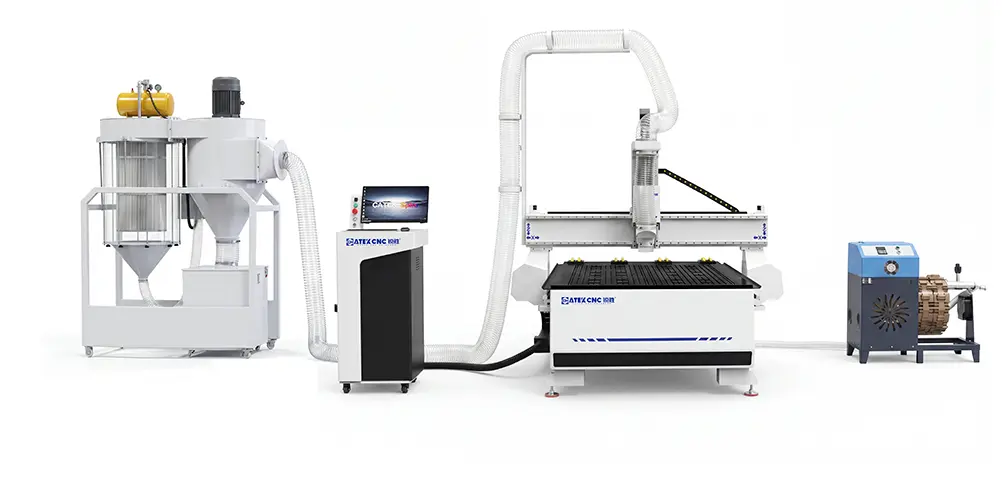
The second factor is the type of product and production scale. Small hobby projects may only require a mini CNC router, while furniture manufacturing typically requires a full-size 4×8 CNC woodworking router machine. If you plan to expand your business, choosing a machine that meets your short-term future needs can help avoid costly replacement expenses.
Beginners should also consider whether production efficiency is a priority. If your work involves frequent drilling, routing, cutting, and engraving, an ATC CNC router machine equipped with automatic tool change capabilities can significantly save labor time and improve machining consistency.
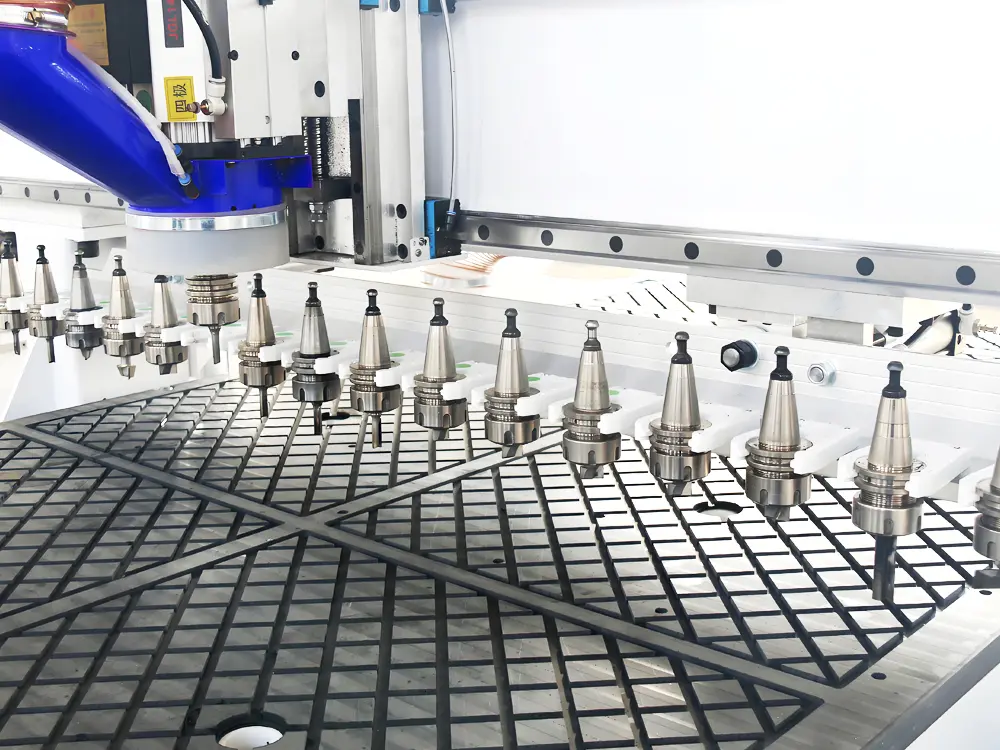
Machine construction is equally important. A sturdy frame typically provides better stability, cleaner cutting edges, and more reliable long-term performance. To prevent bed warping or cracking during machining, CNC router manufacturer CATEKCNC uses welded square steel tubing for the rear wall or gray cast iron casting, ensuring a robust and stable machine structure. With proper maintenance, the CNC router can have a service life of over 10 years. In CNC woodworking, the stability of machine operation directly impacts product quality.
Technical support should not be overlooked, especially for beginners. A reliable CNC router machine manufacturer can provide:
- Installation guides
- Software training
- Remote troubleshooting
- Parameter recommendations
- Maintenance support
Good technical service can significantly shorten the learning curve and help beginners avoid many common machining errors.
For newcomers to the woodworking industry, many users prefer to choose a stable machine. Brands like CATEKCNC, for example, offer a wide range of CNC equipment solutions—from entry-level woodworking routers to industrial CNC router machines with automatic tool changers—helping users select the right configuration based on their actual production needs.
The right CNC router for beginners not only improves cutting quality and production efficiency but also helps beginners build confidence and grow their business more smoothly over time.
II. Setting the Feed Rate Too Fast
One of the most common and dangerous mistakes for CNC router beginners is setting the feed rate too fast. Many users think higher speed equals higher efficiency, but in CNC woodworking, excessive feed rates often result in poor cut quality, tool damage, and machine instability.
The feed rate must always match spindle speed, cutting depth, tool type, and material hardness. Once this balance is broken, problems quickly appear.
1.Common Problems
When the feed rate is set too high, the cutting tool is forced to remove more material than it can safely handle. This places excessive stress on both the tool and the engraving machine system.
Tool breakage is one of the most common issues. When cutting pressure is too high—especially when machining hardwood or high-density fiberboard—the tool may chip, bend, or break during the machining process. This not only wastes the tool but can also damage the workpiece.
Another common issue is a rough cutting edge. The material surface may exhibit tearing, uneven grooves, or visible tool marks.
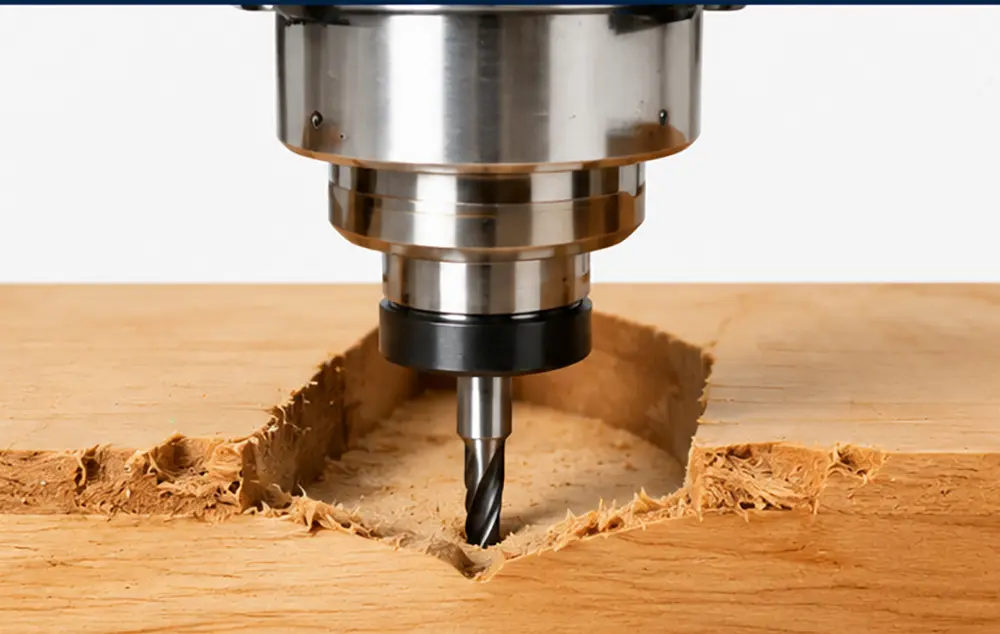
Machine vibration is also a common issue. When the feed rate exceeds the machine’s structural stability, the CNC router machine may begin to shake during cutting. This reduces precision and may result in dimensional errors in the final product.
In some cases, the machine may even lose steps or generate incorrect paths. This leads to pattern misalignment, dimensional inaccuracies, or deviations in the machining trajectory.
Excessively high feed rates can also overload the spindle motor. Over time, this accelerates wear, causes overheating, and shortens the spindle’s lifespan. In severe cases, it may even result in spindle failure.
From a production perspective, while high feed rates may seem faster, they often lead to more rework, material waste, and downtime, ultimately reducing efficiency rather than increasing it.
2. How to Adjust
The key to solving this problem lies not simply in slowing down, but in finding stable cutting conditions that strike a balance between the material and the machine’s capabilities.
For beginners, it is recommended to use the feed settings recommended by the CNC router manufacturer or tool supplier. These values have typically been tested for stability and can serve as a safe baseline.
When adjusting the feed rate, increase the speed gradually rather than making a drastic change all at once. After each adjustment, carefully observe the cutting results, including chip shape, cutting sound, surface finish, and machine vibration.
A stable cutting process typically produces uniform chips and a smooth, steady machine operation sound. If vibration or burning occurs, it usually indicates that the feed rate or spindle speed is not properly matched.
In practical CNC woodworking applications, the safest strategy is always to “stabilize first, then accelerate.” Once the correct parameters have been confirmed through testing, the feed rate can be gradually increased to improve production efficiency without compromising quality or machine lifespan.
III. Ignoring Machine Zeroing
Many users may assume that as long as the machine is turned on and a file is loaded, it will automatically cut correctly. However, in reality, neglecting the important “home” operation often leads to dimensional errors and tool collisions.
The mechanical origin is a fixed physical position determined by the machine’s limit switches, typically located at the absolute travel limits of the X, Y, and Z axes. The “return to zero” operation informs the controller of the gantry’s precise position relative to its structural frame. This operation must be performed every time the machine is started.
Failing to perform a return to zero on a CNC router machine prevents the system from establishing an accurate absolute coordinate system, leading to a series of problems:
- Unexpected collisions causing tool damage
- Incorrect machining positions
- Distorted engraving patterns
- Dimensional deviations
- Offset cutting paths
1. Machine Homing Procedure
Before starting machining, the operator must always perform basic safety checks and correctly complete the zeroing procedure.
- Ensure that there are no tools, materials, or foreign objects on the table.
- Verify that fixtures and clamps do not obstruct movement.
- Check that the emergency stop button has been released.
- Ensure that all axes can move freely.
This helps prevent accidental collisions during the process.
2.How to Perform Machine Homing
1) PC Control System (NCStudio/LNC): Select the “Home” or “Zero Return (ZRN)” button from the operation menu and wait for all axes to automatically return to the machine's zero point.
2) DSP Handheld Controller: For DSP controller systems, homing is typically performed using the handheld controller. Press the “Home” button and wait for all axes to complete the reset process.

For CNC router beginners, developing the habit of performing a machine zeroing procedure before each machining operation can significantly reduce positioning errors and improve production safety.
IV. Material Not Secured Properly
For CNC router beginners, improper material clamping is one of the most commonly overlooked issues in machining. Many users focus too much on tool selection and cutting parameters, yet neglect to ensure that the workpiece is securely clamped before starting the machining process.
During CNC machining, the spindle rotates at high speeds, and the machine continuously applies cutting forces to the material. If the workpiece is not securely clamped, even slight movement can affect machining accuracy and surface quality.
In severe cases, the material may suddenly shift during cutting, leading to tool breakage, workpiece damage, or even machine collisions.
Especially for woodworking applications, stable material clamping is crucial for maintaining cutting accuracy and ensuring safe operation.
1. Common Issues
When the material is not securely clamped, the most common issue is board movement during machining. Even the slightest shift can cause the cutting path to be inaccurate, resulting in dimensional errors, uneven grooves, or misaligned engraving.
Another common issue is poor cutting quality. If the material vibrates during machining, the cut edges may appear rough, chipped, or uneven. This problem is particularly noticeable when machining materials that require high edge smoothness, such as medium-density fiberboard (MDF), plywood, acrylic sheets, or laminated panels.
Insecure material clamping can also accelerate tool wear. When the panel moves unexpectedly, the cutting tool encounters unstable resistance, which can cause excessive vibration or sudden impact on the cutting edge.
In more severe cases, the tool may break completely. This typically occurs during high-speed cutting or deep machining when the material suddenly moves under cutting pressure.
For CNC router beginners, spindle collisions are a dangerous situation. If the worktable unexpectedly lifts or moves, the spindle or tool may collide with fixtures, tooling, or the worktable surface, potentially damaging both the CNC router and the workpiece.
Poor clamping also reduces repeatability in batch production. Even when using the same machining program, inconsistent sheet positioning can lead to varying machining results for each workpiece.
2. Common Material Fixing Methods
To ensure stable machining, materials must be firmly secured before starting the CNC router. Different materials and applications may require different fixing methods.
1) Clamp Fixing
Mechanical clamps are one of the most commonly used fixing methods for CNC router beginners.
Advantages:
- Easy to operate
- Low cost
- Suitable for various material sizes
However, operators must carefully place the clamps outside the toolpath area to avoid collisions during machining.
Clamp fixing is commonly used for:
- Small woodworking projects
- Acrylic sheets
- MDF boards
2) Vacuum Worktable Holding
Vacuum worktables are widely used in professional CNC woodworking production. The vacuum system uses suction to tightly hold the material on the worktable, improving stability and machining efficiency.
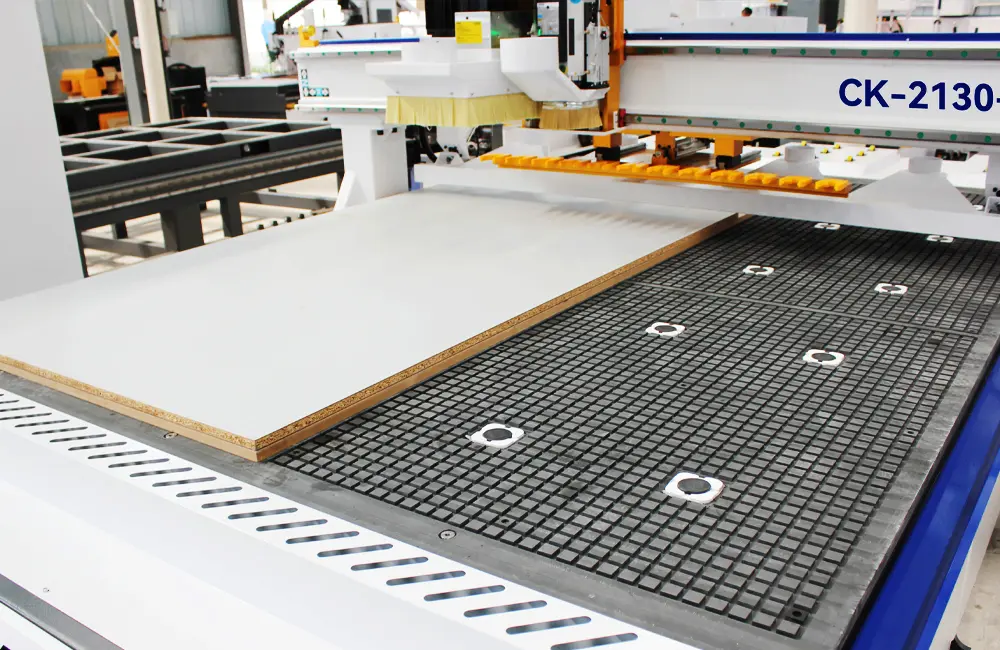
Advantages:
- Faster loading and unloading
- Stable holding for large panels
- Reduced vibration
- Improved efficiency for mass production
Vacuum worktables are especially suitable for:
- Furniture manufacturing
- Cabinet production
- Door processing
- Large panel machining
Today, many industrial CNC routers use vacuum table systems as a standard configuration.
3) T-Slot Table and Clamp Fixing
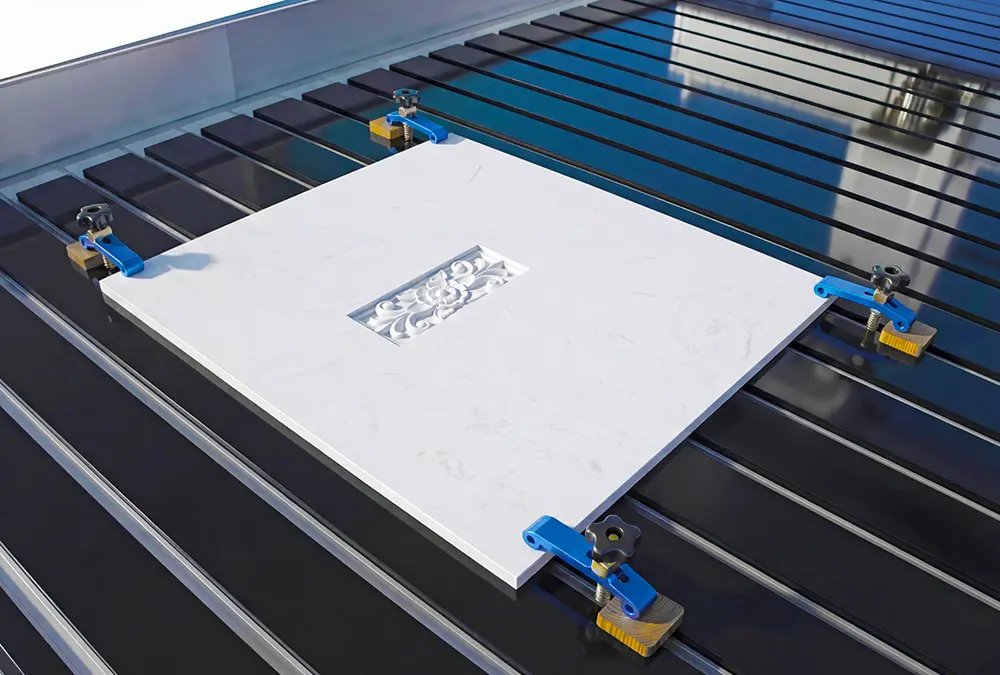
T-slot tables combined with clamps provide flexible positioning for irregular workpieces or special machining applications.
Advantages:
- Adjustable positioning
- Strong holding force
- Suitable for custom parts
This method is commonly used for:
- Complex woodworking parts
- Aluminum processing
- Non-standard shapes
V. Using the Wrong Tool
Some CNC router users believe that one cutting tool can handle all materials and all machining tasks. In reality, different CNC router bits are specifically designed for different materials, cutting directions, and machining requirements.
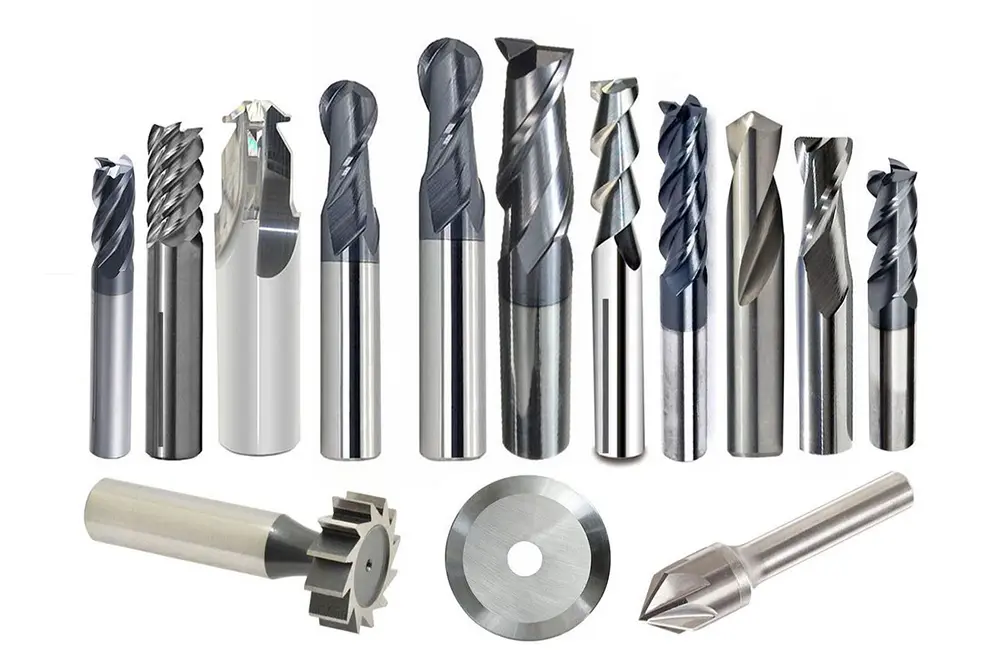
Even with a high-quality CNC router and proper machining parameters, using the wrong tool can still lead to poor cutting quality, tool breakage, material damage, and unstable machining performance.
In CNC woodworking, cutting tools directly affect:
- Surface finish quality
- Cutting efficiency
- Tool lifespan
- Edge smoothness
- Machining accuracy
1. Common Problems
One of the most common mistakes made by beginners is using the same tool for all materials. For example, some users use woodworking bits for aluminum processing or engraving bits for heavy cutting tasks. This often causes excessive tool wear and unstable machining.
Another common problem is choosing the wrong cutting direction. Some router bits are designed for upward chip removal, while others are designed to protect the material surface. Using the wrong bit may cause edge chipping, surface tearing, or poor machining quality.
Incorrect tool size is also a common issue. Small-diameter tools are more likely to break during deep cutting, while oversized tools are difficult to use for fine engraving or small corner processing.
Beginners often ignore tool sharpness. Worn or dull tools increase cutting resistance, generate excessive heat, and reduce machining quality. In woodworking applications, dull tools can easily cause burn marks or rough edges.
Another major problem is improper tool installation. If the tool is not clamped correctly:
- Vibration may occur
- Cutting accuracy decreases
- The tool may slip during machining
- Severe spindle damage may occur in serious cases
Improper tool usage not only affects product quality but also increases material waste and production costs.
2. How to Choose the Right CNC Router Bit
When selecting CNC router bits, the following factors should always be considered:
- Material type
- Cutting depth
- Surface finish requirements
- Machine spindle power
- Processing speed
In addition, when using small tools, avoiding excessive cutting is very important. Multiple cutting passes usually protect both the tool and spindle more effectively. Regularly checking tool sharpness is equally important. Replacing worn tools early can significantly improve machining quality and reduce long-term costs.
You can read our detailed guide here:
How to Choose the Right Milling Cutter for CNC Wood Routers?
VI. Cutting Too Deep in One Pass
Many CNC router beginners try to improve efficiency by cutting through the full material thickness in a single pass. At first glance, this seems faster, but in actual CNC machining, excessive cutting depth is one of the most common causes of tool damage, rough cutting quality, and machine overload.
Every CNC router, spindle, and cutting tool has a reasonable cutting load limit. When the cutting depth exceeds that limit, the machine must withstand greater resistance and vibration during machining.
1. Common Problems
The most common issue caused by overly deep cutting is tool breakage. When too much material is removed at once, the cutting tool experiences excessive pressure, especially when processing hardwood, thick MDF, or plywood. Small-diameter tools are particularly vulnerable.
Another major issue is spindle overload. Deep cutting forces the spindle to operate under heavy load for extended periods, increasing heat generation and reducing spindle lifespan. In severe cases, overload alarms may occur, or the spindle motor may even be damaged.
CNC Router beginners also often notice rough cutting edges and obvious vibration marks. When the machine experiences excessive cutting force, tool stability decreases, resulting in poor surface finish quality.
In some cases, chips cannot be removed effectively during deep cutting. Poor chip evacuation increases friction and heat, which may cause:
- Burn marks on wood
- Melted acrylic edges
- Faster tool wear
- Reduced cutting precision
2. How to Properly Adjust Cutting Depth
Machining should follow the basic principle of “layered cutting.” In general, the cutting depth per pass should not exceed 50% of the tool diameter. Dividing the cutting load through multiple passes helps extend tool life and maintain machining accuracy.
VII. Ignoring Daily Machine Maintenance
Many CNC router beginners focus too much on machining itself while overlooking a very important factor: daily machine maintenance. Some users only pay attention to the machine when problems occur, but by then, precision, efficiency, and component lifespan may already be affected.
A CNC router is a long-term production machine that continuously operates under high-speed motion, dust exposure, vibration, and cutting pressure. Without regular maintenance, even high-quality machines gradually develop wear, instability, and reduced machining performance.
Especially in CNC woodworking, large amounts of wood chips and dust easily accumulate around rails, bearings, lead screws, and electrical components, making daily maintenance even more important.
1. Common Problems
One of the most common problems caused by poor maintenance is reduced machining accuracy. Dust accumulation on rails or transmission components affects smooth axis movement, causing positioning errors and unstable cutting quality.
Another common issue is abnormal machine vibration or noise. Insufficient lubrication increases friction between moving parts, accelerating wear and reducing long-term stability.
Beginners may also encounter spindle overheating. If the cooling system is not cleaned regularly or ventilation openings become blocked by dust, spindle temperature may become excessively high during long machining operations.
Poorly maintained machines are also more likely to experience electrical problems. Dust entering the electrical cabinet may affect wiring, sensors, or control systems, causing alarms, unstable operation, or unexpected shutdowns.
Tool wear is another commonly ignored issue. Using dull or damaged tools not only reduces cutting quality but also increases spindle load and machine stress.
2. Daily CNC Router Maintenance Tips
Good maintenance habits do not need to be complicated. In many cases, just a few minutes of daily inspection can significantly improve machine stability and lifespan.
1)After machining, use an industrial vacuum cleaner to remove debris from rails and lead screws.
2)Lubricate moving parts such as rails, bearings, and transmission systems.
3)Check tool condition before machining.
4)Regularly inspect electrical and cooling systems.
VIII. Skipping Simulation Before Machining
Many CNC router beginners are eager to start machining immediately after generating the toolpath. After loading the file, they press the start button without checking the machining process first.
1. Common Problems
Directly transferring generated G-code to the CNC router machine and starting cutting is extremely risky. If the code contains path interference, machining outside the material area, or incorrect Z-axis safety height settings, the machine will strictly follow the instructions and may directly collide with clamps or machine boundaries, causing serious safety hazards.
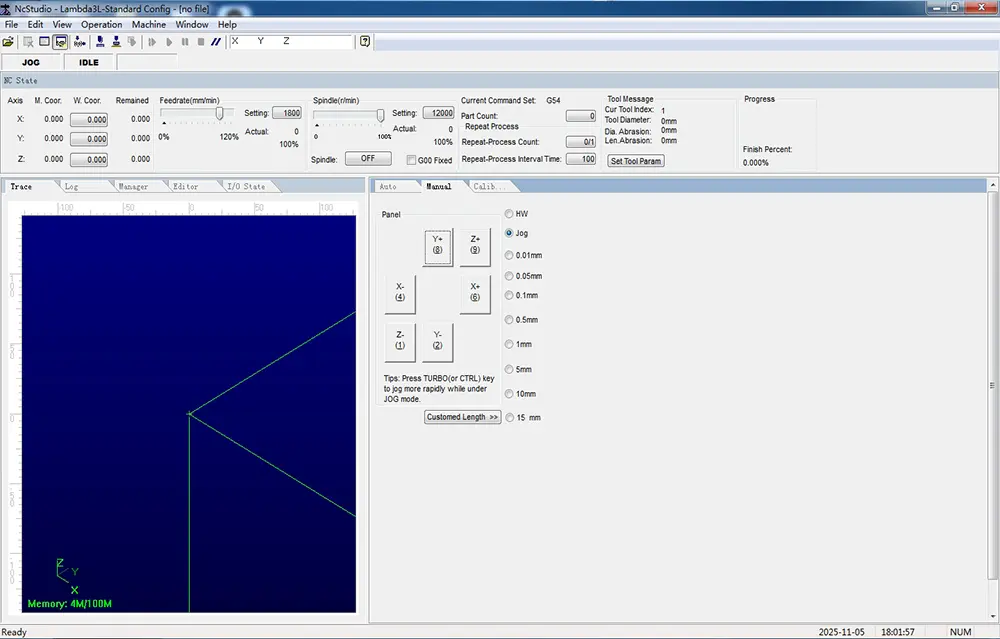
2. Why Simulation Testing Is Important
Simulation functions allow operators to preview the complete machining process within the CNC router system before actual cutting begins. It helps verify whether the toolpath, cutting depth, machining sequence, and origin settings are correct.
Most CNC software systems provide toolpath preview functions that visually display:
- Tool movement paths
- Cutting sequence
- Machining boundaries
Another recommended method is “air cutting” or “dry run” testing. During this process, the spindle moves above the material surface without actual cutting. Even experienced CNC operators often perform simulation tests before important machining tasks because small setup mistakes can still happen.
IX. Conclusion
For CNC router beginners, avoiding common mistakes is the key to improving machining accuracy, extending tool and machine lifespan, and consistently producing high-quality workpieces. From choosing the right CNC router, to proper feed rate settings, material fixing, machine homing, tool selection, cutting depth control, daily maintenance, and simulation testing, every step matters.
By following these practical CNC woodworking tips, beginners can reduce trial and error, avoid material waste, and improve overall production efficiency. For users looking to take their CNC woodworking skills to the next level, professional solutions such as CATEKCNC CNC routers are an excellent choice, offering reliable machines, stable performance, and flexible configurations suitable for both beginners and advanced users.
RELATED MODELS
We recommend some related models for you...
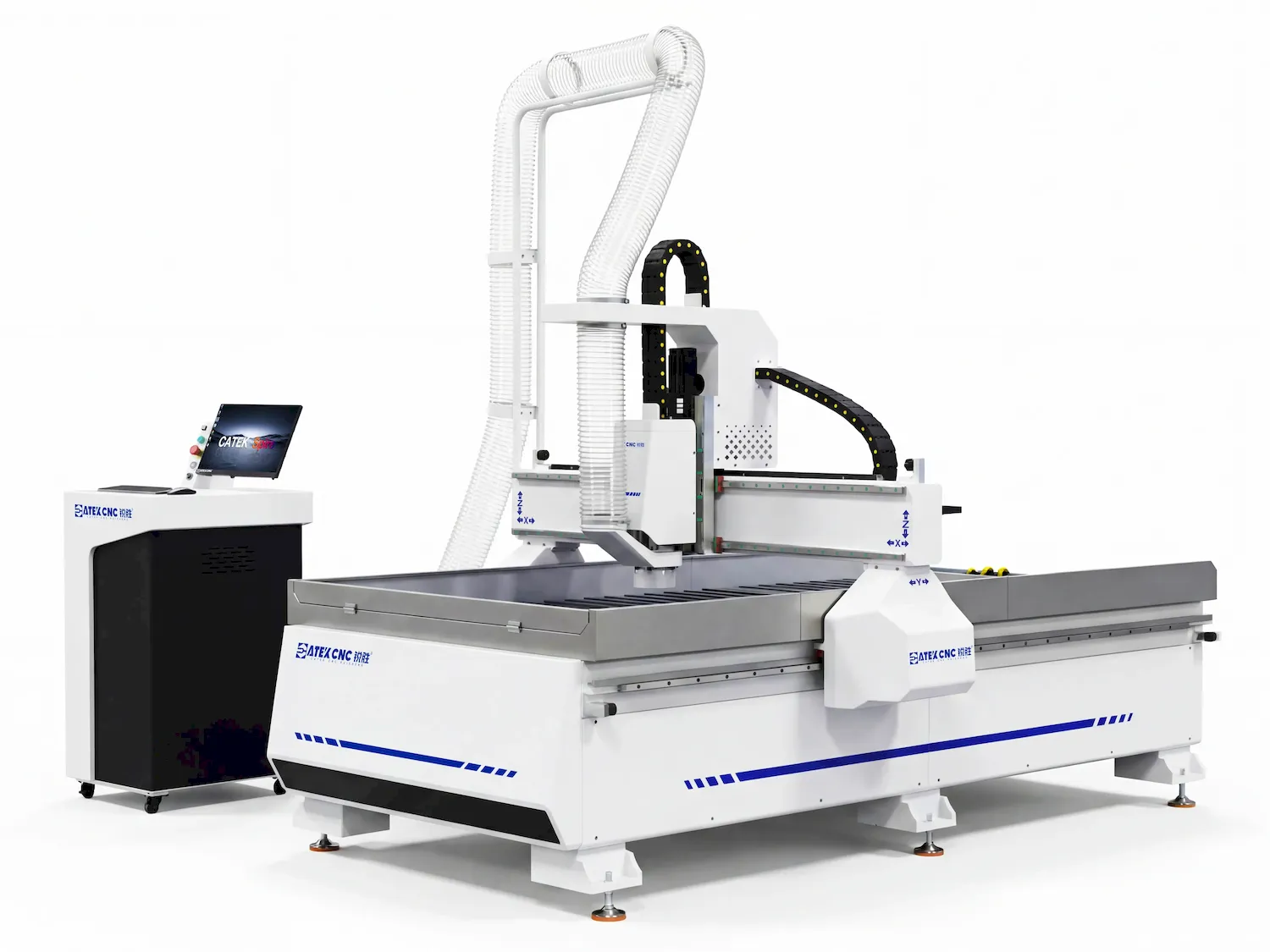
This machine is a CNC router of the Spire Series with an extremely wide processing range, featured with a flood cooling system and a water-cooled spindle, and it can process a variety of materials including wood, stone, aluminum, copper, stainless steel, and more.
$4,580.00~$13,980.00
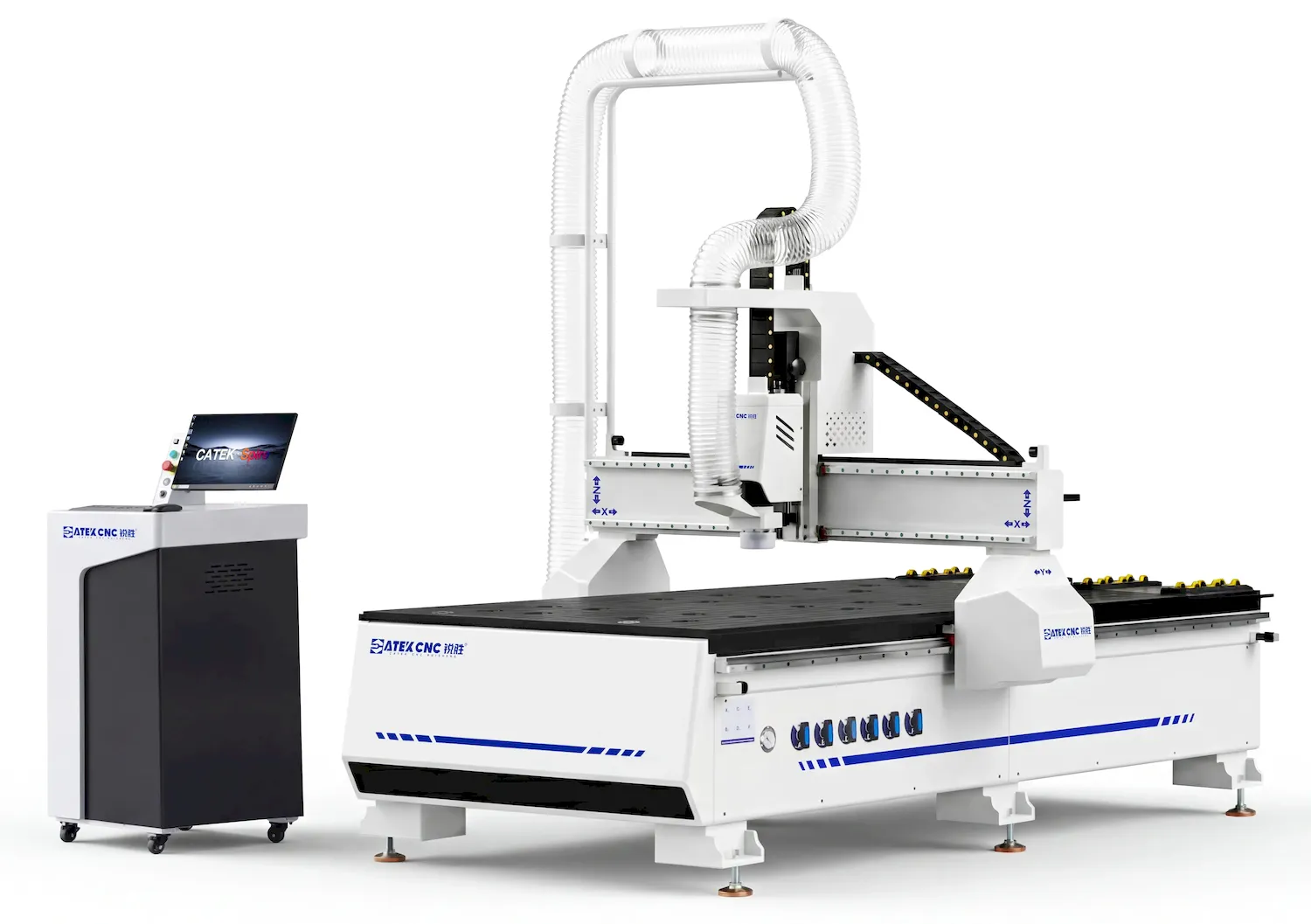
The CK-1325-WSP is a standard CNC wood router of the Spire Series. It inherits the excellent DNA of the Spire range, is fitted with renowned components including Yaskawa servo motors, HSD spindles and Schneider electric parts, and comes with the exclusive VIP services of the Spire Series.
$7,280.00~$13,980.00
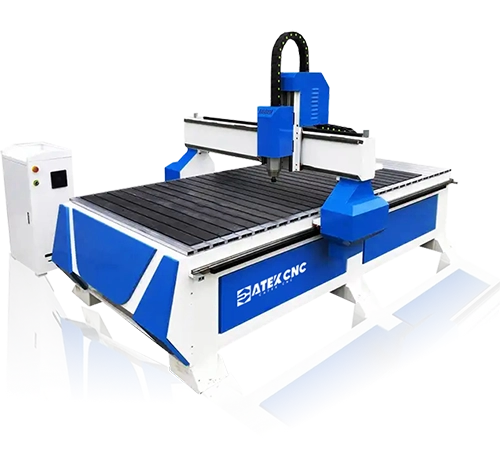
The CK-1325 is a standard-sized CNC router featuring simple operation and affordable pricing, making it ideal for small furniture manufacturing workshops, personal studios, and hobbyists. It is widely used for various processing techniques on solid wood, plywood, and MDF materials, including engraving, cutting, milling, drilling, and grooving of wave boards, doors/windows, cabinets, tables/chairs, and signage letters.
$2,570.00~$5,370.00
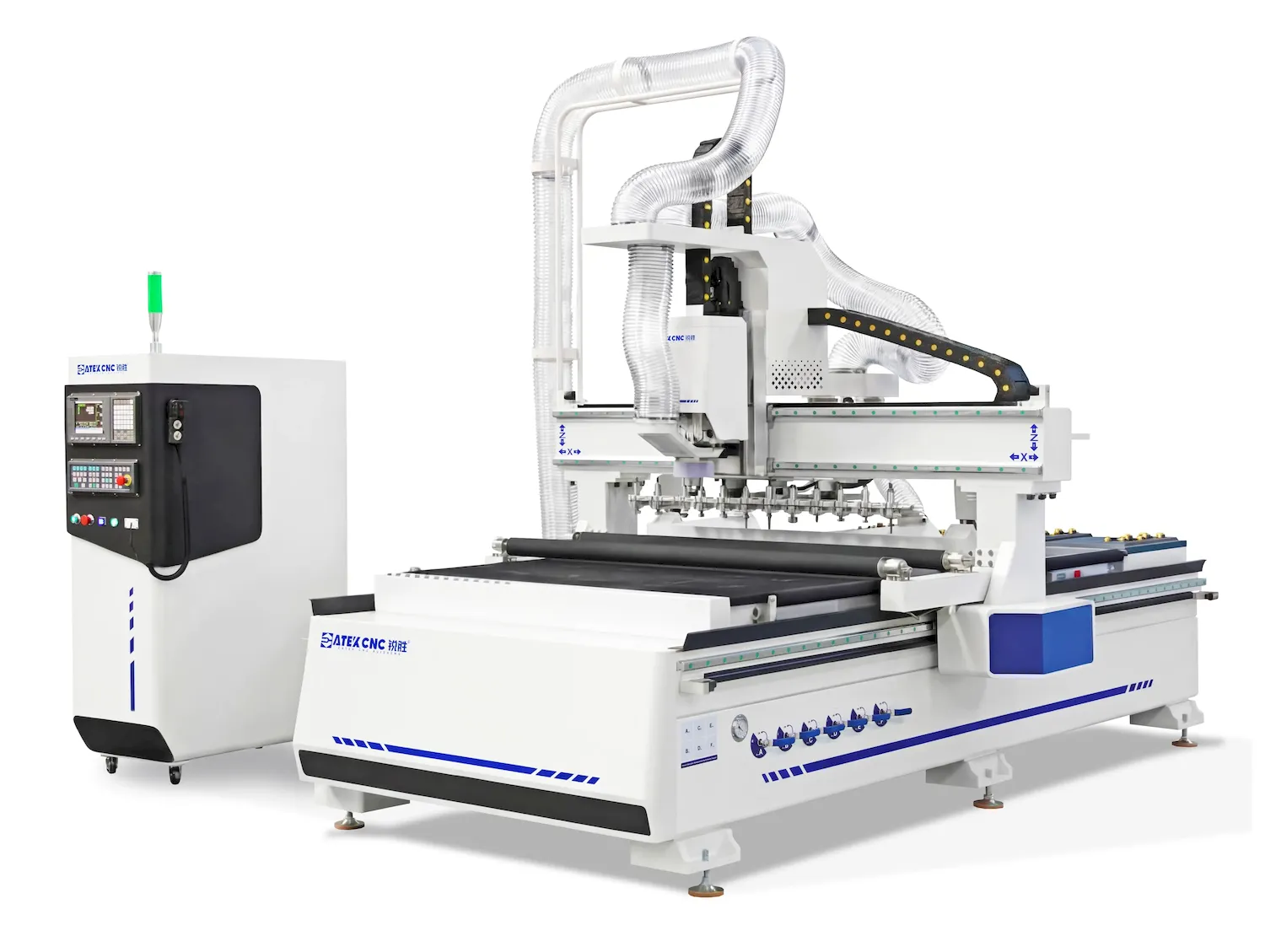
This model is the 4x8ft linear ATC CNC wood router from the Spire Series. Its appearance and mechanical structure have been fully redesigned, and it is equipped with Yaskawa servo motors and HSD spindles, along with exclusive VIP services.
$15,800.00~$39,800.00
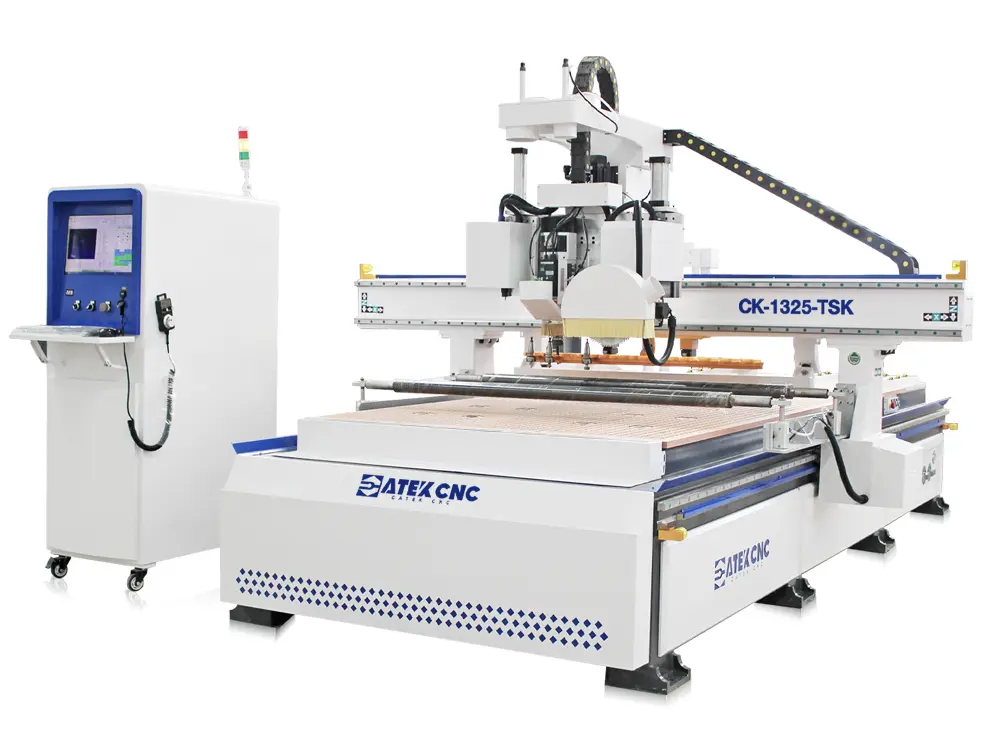
The CK-1325-TSK is a high-performance multi-functional CNC router that integrates automatic tool changing, flexible material cutting, and rigid sheet processing to comprehensively meet diverse production needs. The CNC router machine is equipped with a linear tool magazine capable of holding 12 tools and an automatic tool setter. Working in concert with a 9KW high-speed air-cooled spindle, it enables automatic tool changes and measures/calculates compensation values during processing, significan...
$13,800.00~$23,800.00
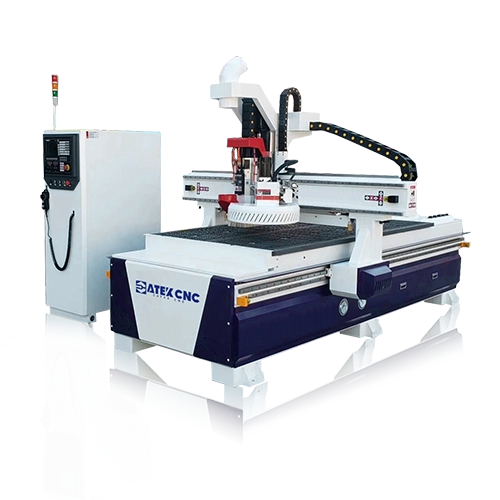
This CNC nesting machine is specifically developed for whole-house customized panel furniture production. It incorporates all functionalities of a linear ATC CNC router and is equipped with a 5+4 pneumatic drilling bank that can mount 9 different drill bits simultaneously, capable of completing 99% of drilling tasks, making it particularly suitable for manufacturing panel furniture like wardrobes and cabinets. Additionally, it features a 3D rotary fourth axis for processing 3D products such as E...
$13,800.00~$17,500.00
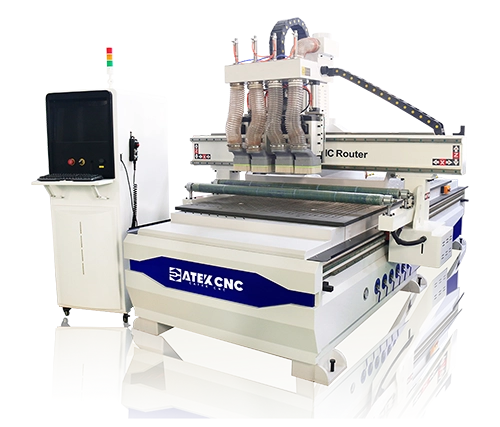
This is a type of CNC router capable of automatically switching spindles during machining. The machine features four 6KW air-cooled spindles, each equipped with different tools for cutting, drilling, milling, and other processes. During operation, these spindles cannot be used simultaneously,but different spindles are switched according to process requirements. Therefore, you can consider it as a unique form of automatic tool changing. This type of machine is ideal for scenarios requiring switch...
$7,980.00~$10,570.00
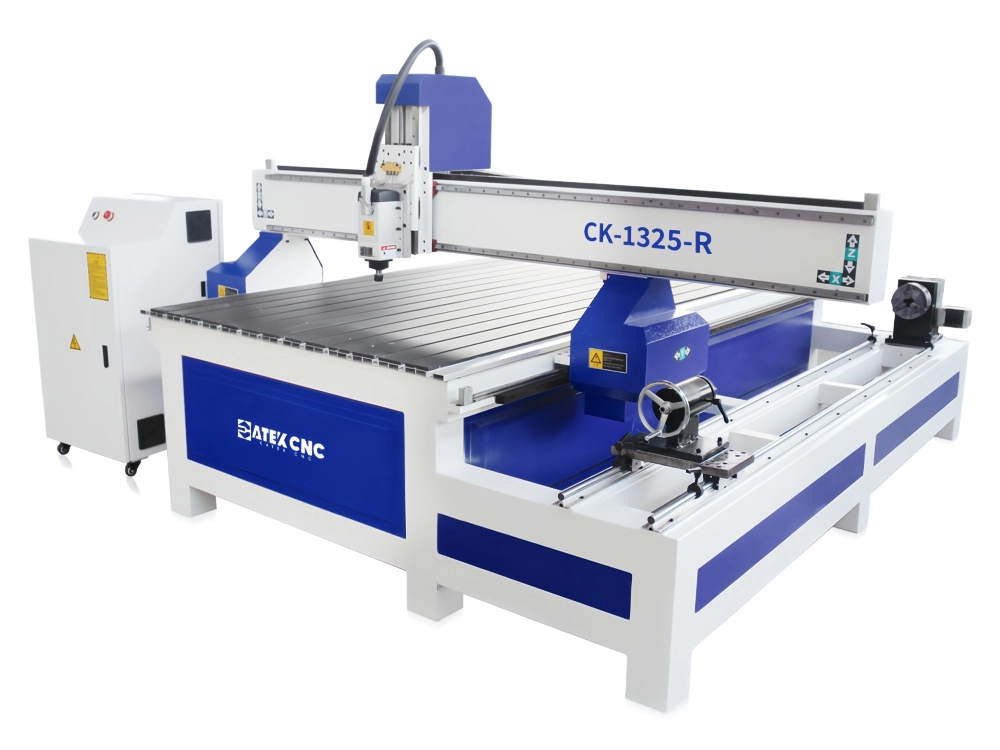
The machine features a 4x8ft worktable specifically designed for sheet material machining, along with a rotary 4th axis for clamping and rotating workpieces. This dual-functionality enables both planar engraving and 3D carving operations. Serving dual purposes with a single machine not only reduces procurement costs and floor space requirements but also lowers subsequent maintenance expenses. If your operations require both flat-surface processing and 3D machining, this equipment deserves your s...
$4,000.00~$5,570.00